Spreadsheets that keep growing, due dates tracked by hand, scattered documentation: at some point every operator or workshop ends up looking for real airworthiness management software. The market has no shortage of offers – but they are not all equal depending on your fleet type, your approval and your processes. Here is a concrete decision grid.
01 Regulatory coverage & EASA compliance
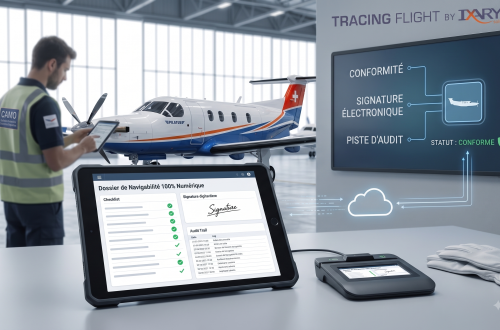
This is the non-negotiable foundation. The tool must allow tracking compliant with EASA Part-M / Part-CAO requirements: management of maintenance programmes, tracking of airworthiness directives (AD) and service bulletins, life-limited and hard-time components, inspection history, issue of regulatory statements. Check that document generation (status reports, work orders, ARC) is native, not improvised.
02 Fixed-wing, helicopter… or both?
A helicopter is not a light aircraft: NTL cycles, Ng, atypical counters, sub-assemblies with multiple life limits. Many tools handle fixed-wing well and rotary-wing poorly. If your fleet is mixed or mainly helicopters, demand a demonstration on a real helicopter case, not just a single-engine aircraft.
03 Cloud, on premise, or hybrid
100% web makes multi-site access and collaboration with pilots easier; on premise reassures on data sovereignty. The right choice depends on your internal policy. Look above all at: where the data is hosted, what availability, what backup policy, and whether a mobile version allows on-board documents to be kept as close as possible to the aircraft.
04 Airworthiness ↔ maintenance ↔ documentation interconnection
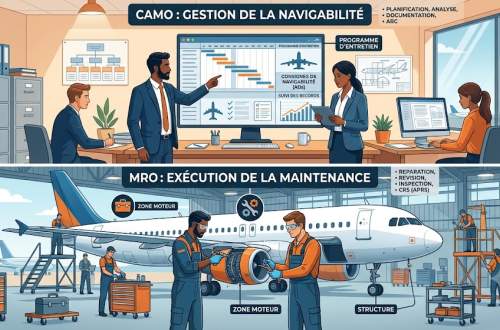
This is the most underestimated criterion. If the CAMO, the workshop and the document management live in three applications that do not talk to each other, you recreate by hand the breaks you were trying to remove. Favour an interconnected suite: the work order feeds the workshop, potentials are recalculated when the inspection is closed, documentation stays attached to the aircraft.
05 Data migration
The real risk of changing tools is not training – it is migration. A history of hours, parts and inspections poorly migrated, and you lose traceability. Ask: does the vendor handle the import from your previous system? On what scope? With what verification? A structured migration support (initial audit → migration → check) is a sign of seriousness.
06 Manufacturer labels & certifications
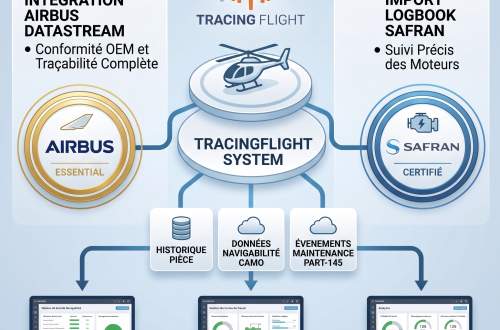
Some vendors are recognised by manufacturers, which guarantees smooth data exchange with their ecosystem. The Airbus Helicopters DataStream label or a Safran Helicopter Engines certification, for example, attest to compliance with the manufacturer's data-exchange requirements – a rare guarantee of longevity on the market.
07 Support, training & assistance
Business software does not deploy itself. Assess the responsiveness of support (lead times, remote assistance), the quality of training (on site, certified so that training budgets can be used), and the regulatory watch offered. A vendor that alerts its customers to regulatory changes saves you precious time.
08 Ergonomics & management indicators
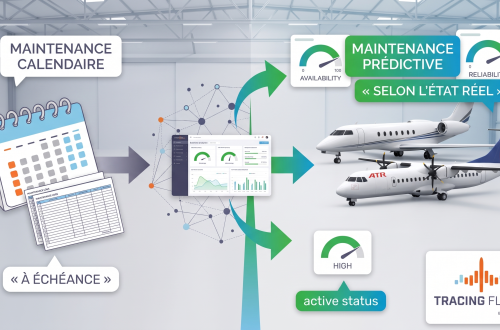
Finally, the tool must be used. Automatic due-date alerts, anomaly detection, ageing simulation, operational availability dashboards: these are the indicators that turn a simple register into a tool for anticipating groundings.